

My Spotting Scope + Phone Setup
The exact scope, mount, and tripod setup I use — and why it works for me.
Table of Contents
The Exact Setup I Use
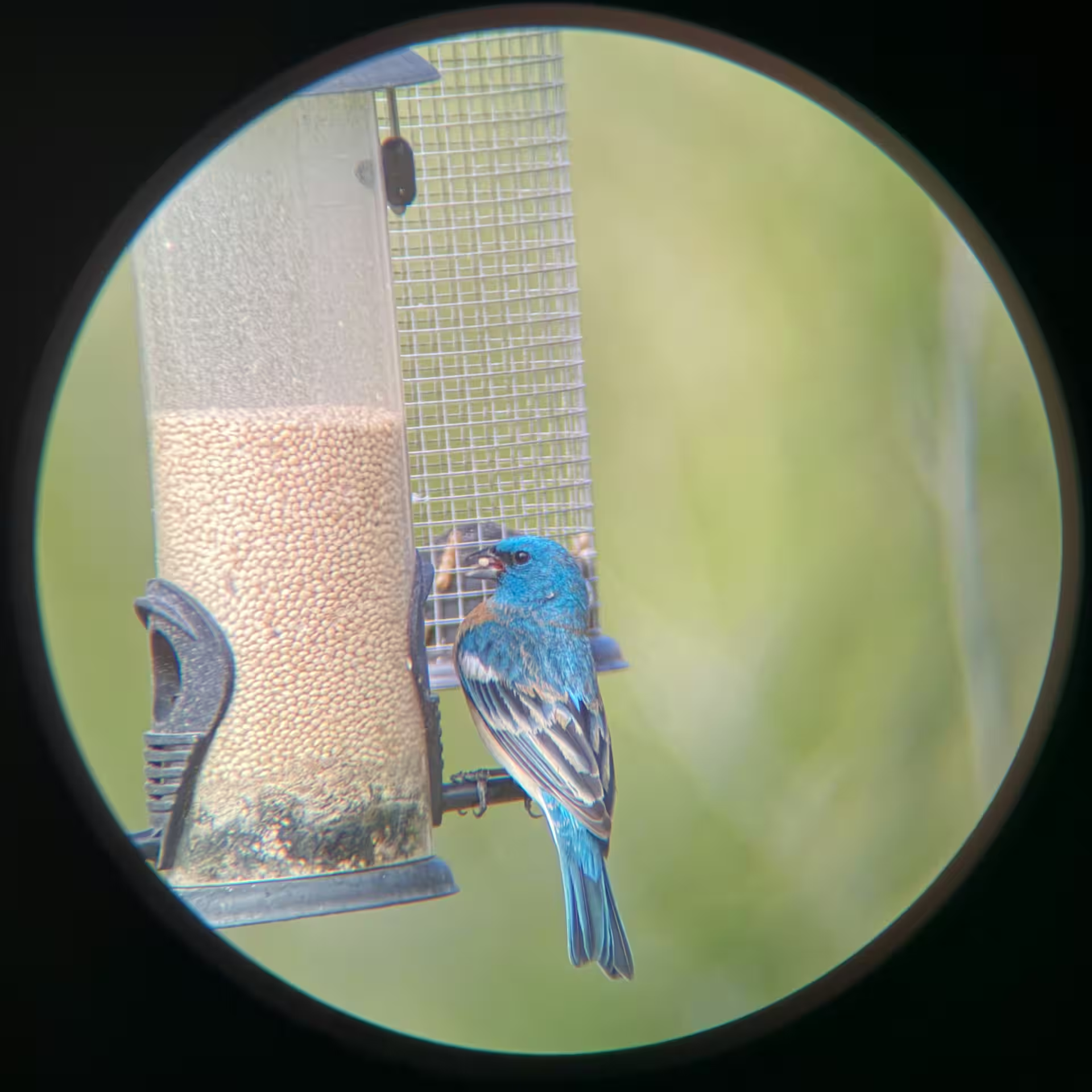
This is not a giant guide to every spotting scope setup on the market. It is simply the exact setup I use and recommend because it works for me. I still grab my camera when I want the best image possible, but this setup has been a surprisingly fun and useful way to share birds, record quick videos, and grab a few simple digiscoping shots.
I put off getting a spotting scope for years. The more I use it, the more I wish I would have added one sooner — it opens up a completely different side of birding that binoculars and even most camera setups just can’t reach.
If you want the short version, here it is: I use a Vortex Viper HD spotting scope, a MagSafe digiscoping mount, and a solid tripod with a smooth head. That combination has been enough to make the whole experience click.
Quick Start: Scope, Mount, Tripod
Spotting Scope
A sharp, bright scope is the heart of the system. I use the Vortex Viper HD 20–60x80 angled scope.
Phone Mount
A MagSafe-style mount makes alignment faster, cleaner, and much more enjoyable than a clamp-style setup.
Tripod
A sturdy tripod with a smooth head matters more than people think. Stability and ease of use make the whole system better.
Amazon Affiliate Disclosure
Every quest needs gear—and when you shop through our links, you help keep the adventure alive.
As an Amazon Associate, FeatherQuest earns from qualifying purchases.
My Recommended Setup
Vortex Viper HD 20-60x80 Spotting Scope - Angled

Vortex Viper HD 20–60x85

Vortex Diamondback Spotting Scope

MagSafe Digiscoping Adapter

Amazon Basics 60-inch Tripod

Vortex Mountain Pass Tripod Kit

Why I Chose This Mount
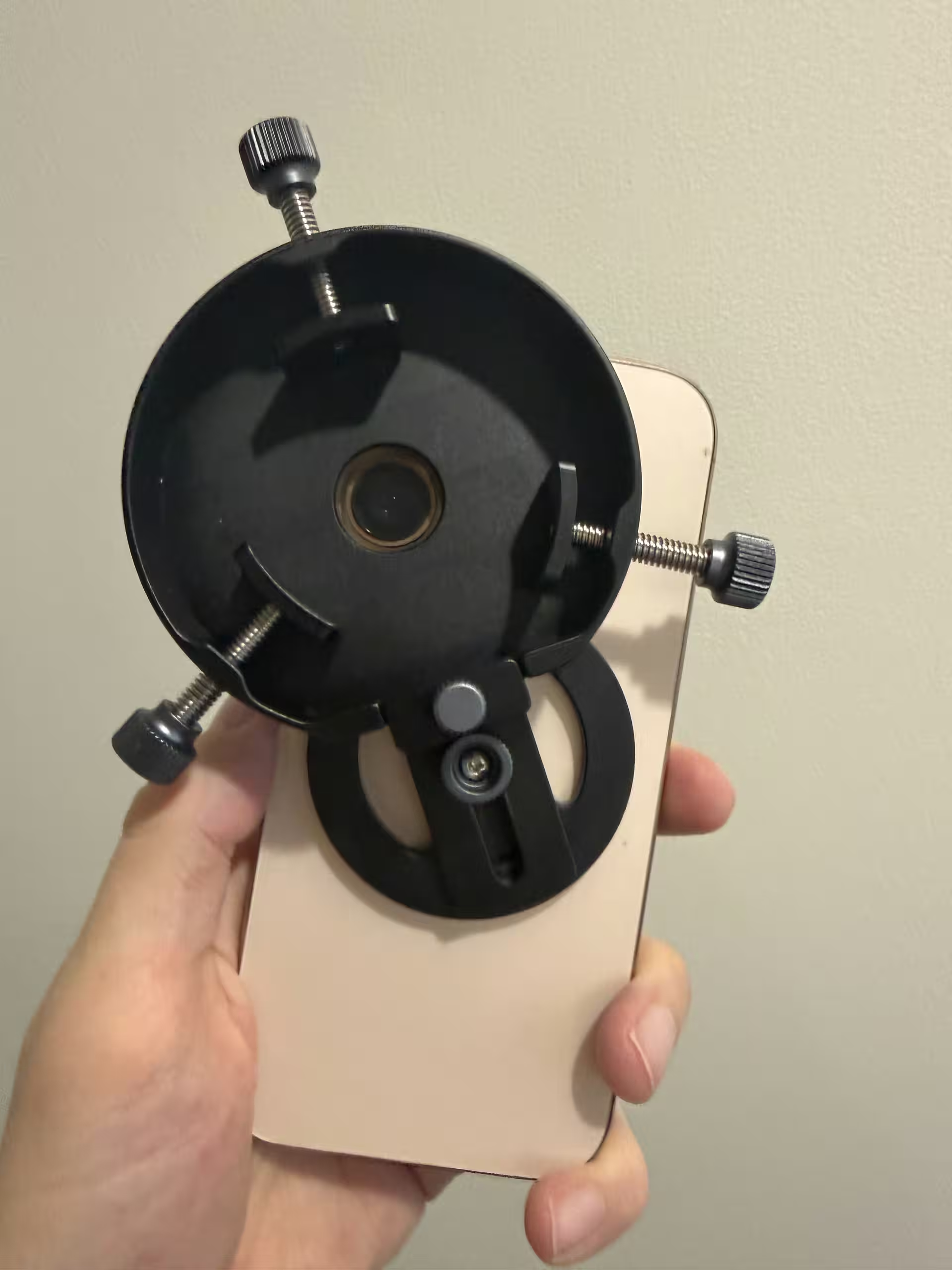
The mount is the part that changed everything for me. My first attempt failed, and that taught me quickly that the little details matter. This one worked because it removed friction instead of adding more of it.
- The magnetic mount is much easier to work with than a clamp. It snaps on quickly and does not squeeze the buttons on my phone.
- The shield helps block glare and makes it easier to perfectly line up the camera over the eyepiece.
- The vertical adjustment gives you a little control over how far the phone sits from the scope. I still wish it had slightly more range, but it is a very useful feature.
- When attaching the mount to the eyepiece, tighten the three adjustment screws evenly — turning each one the same amount (one rotation at a time in a circle). This helps guide the mount straight onto the eyepiece instead of pulling it off-center.
How I Actually Use It
Generally, I still reach for my camera first when I want the best image. But this setup has become its own lane. It is great for backyard birds, quick videos, helping other people see what I am seeing, and creating simple content without a big production.
For a lot of birders, this is actually the go-to setup — especially when heading out to larger lakes, reservoirs, or open water where birds are simply too far away for binoculars or even most camera lenses. That is where a spotting scope really shines, and adding a phone just makes it even more useful.
That is the real reason I recommend this exact setup. Not because it is the only way to do it, but because it is the one that took the least friction for me to actually enjoy using.
One thing I did not expect is how much this setup changes the experience itself. Because everything is on a tripod, it naturally forces you to slow down and be still. You are not holding anything steady or rushing to keep the bird in view — you just settle in. And after a minute, the birds start filling in around you.

Quick Tips That Help
- If your screen goes black when mounting the phone, try toggling the macro mode (little flower icon) on and off, or switch briefly to video mode — this usually helps the camera lock focus again.
- Use the vertical adjustment knob on the mount to fine-tune the distance between your phone lens and the scope. Small changes here can make a big difference.
- If you’re seeing vignetting (dark edges) when zooming, double-check that the mount is perfectly centered on the scope eyepiece (not just the phone). Once it’s truly centered, you can often zoom the scope all the way in and out without needing to readjust.
A Simple Setup That Works
This is the simple version: if you want to know exactly what I use and why, this is it.
A good scope, a mount that removes friction, and a tripod you trust can go a long way. Once it clicks, it gets fun fast.
